Release or allow quarantined email
Mail our filters flag as likely spam isn’t delivered to your inbox — it’s held in quarantine instead, where you can review it, release anything that’s actually wanted, and always allow a sender in future. You don’t have to wait for the daily notice to do this — see below.
Check your quarantine
Section titled “Check your quarantine”You’ll normally get a daily summary email listing anything held for you — but the steps below work any time, not just after that email arrives. There’s no separate password to remember; a link emailed to your own address is what signs you in.
-
Go to your mail filtering portal at
https://pmg01.cloud-hosting.io:8006/quarantine. Choose Request Quarantine Link.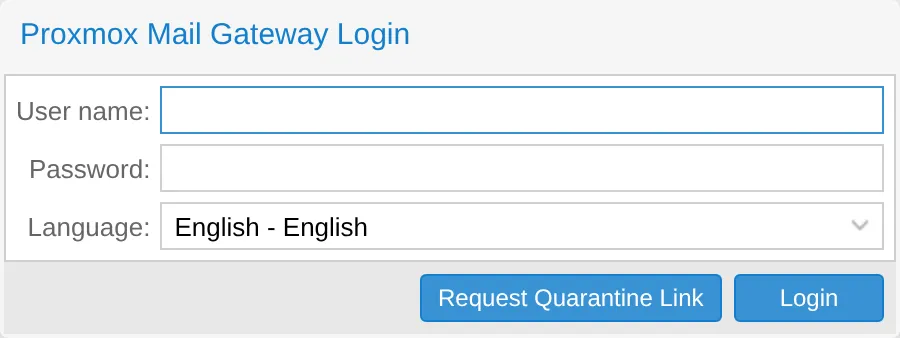
-
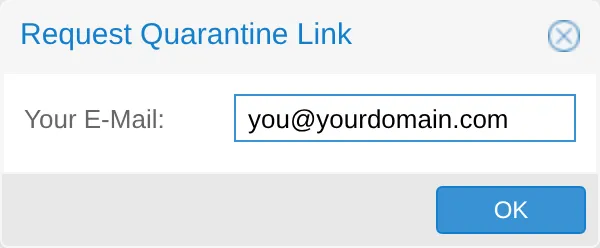
Enter the email address you want to check.
-
Open the email that arrives — usually within moments — and follow the link inside it.
-
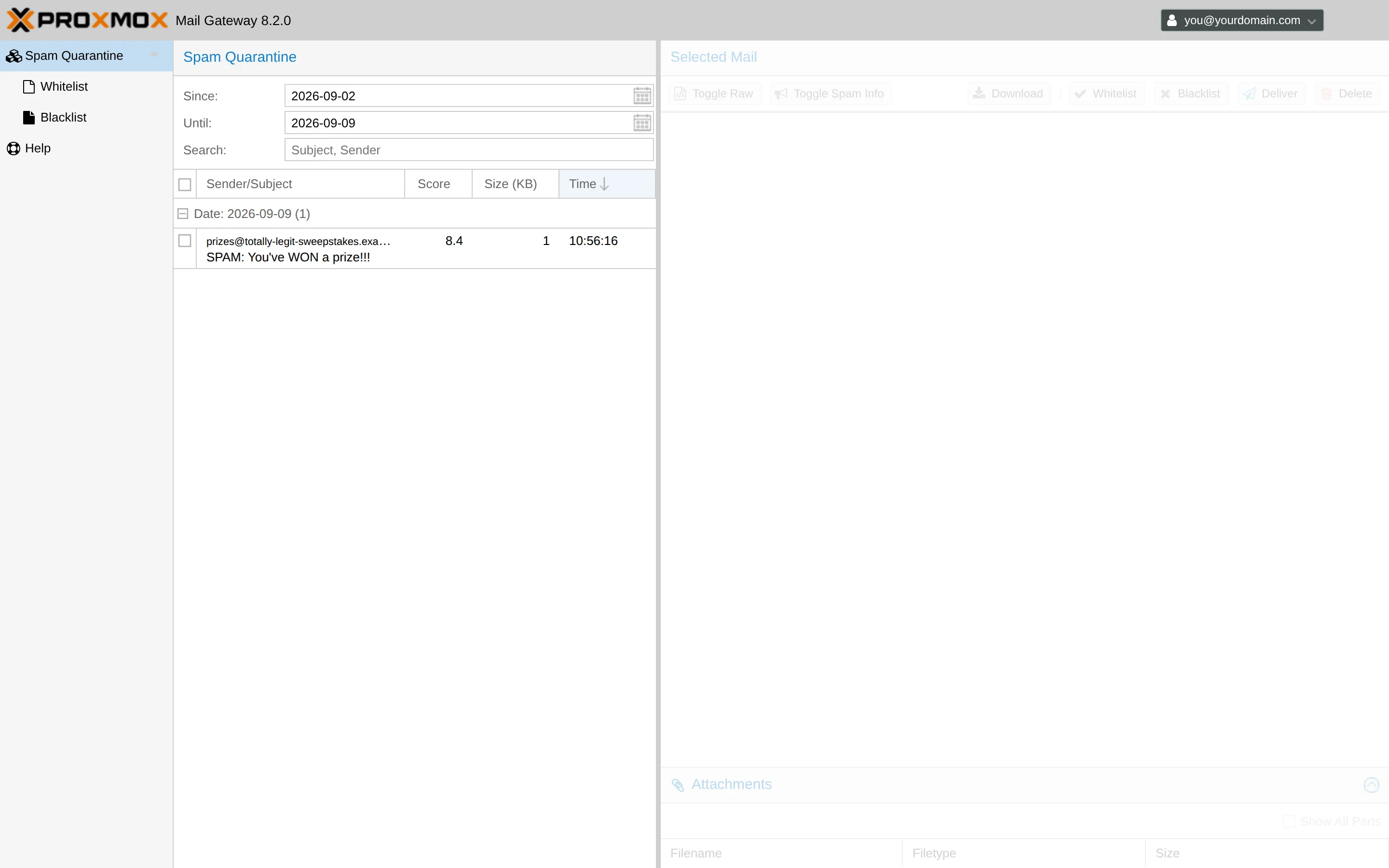
Review what’s listed for your address.
-
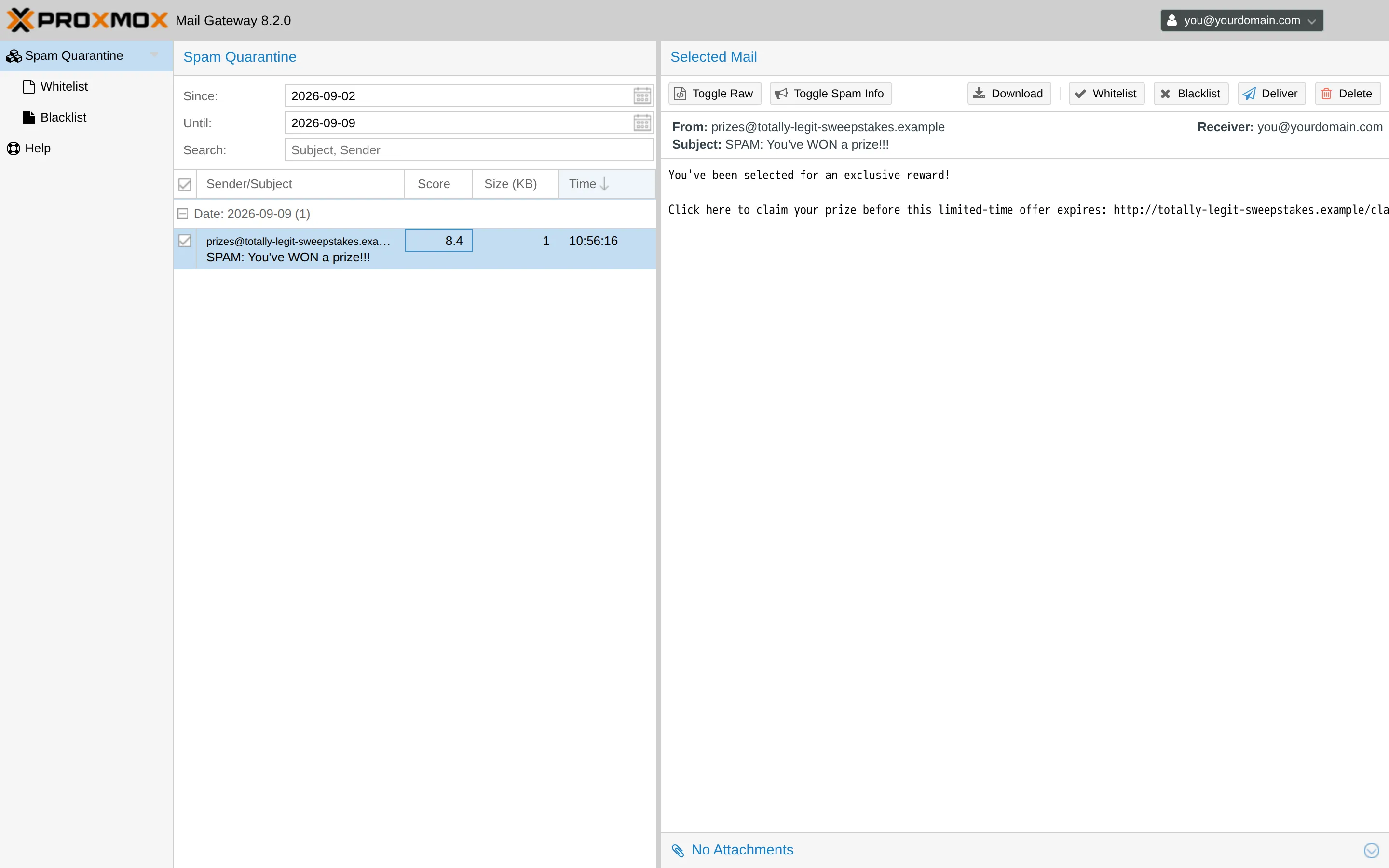
Select a message to see its content and the Whitelist / Blacklist / Deliver / Delete options, then choose Deliver to send it to your inbox as normal.
Always allow a sender
Section titled “Always allow a sender”If mail from someone keeps getting caught and you know it’s legitimate, allow their address (or their whole domain) from the same screen — choose Whitelist on a held message (shown in the screenshot above), or add the address directly from the quarantine portal. Future mail from that sender skips spam filtering for your address specifically — it doesn’t change anything for the rest of your organization.
Common problems
Section titled “Common problems”The sign-in link email hasn’t arrived. Check your spam folder — slightly ironic for a spam-filtering tool, but it happens. If it’s still missing after a few minutes, contact us.
I can’t find a message I expected. Quarantine holds mail for a limited time before it’s cleared automatically, so check soon after being notified rather than weeks later. If it’s genuinely missing, contact us and we can check on our end.
A sender I allowed is still landing in quarantine. Double check you allowed the exact address (or domain) it actually sends from — some services send from a different address than the one they display, especially automated notifications.
Related
Section titled “Related”Still stuck?
Section titled “Still stuck?”Still stuck? Open a support ticket and our team will help.