Add a domain
Before you start
Section titled “Before you start”- A registered domain. We sell domains through Namecheap, and you can also register with any other provider you like.
- Access to the registrar’s DNS settings if you registered the domain elsewhere.
- About 5 minutes (plus DNS propagation time, which can be up to 24 hours).
Sign in to WHP
Section titled “Sign in to WHP”You can sign in to WHP two ways:
- Through your client portal (recommended). Go to https://secure.anhonesthost.com, sign in to your account, open Services → My Services, click your hosting plan, then click Login to WHP. No extra password to remember.
- Directly with your WHP credentials. Visit
https://<your-server-hostname>:8443and sign in with the WHP username and password you set up. Your server hostname is in your welcome email and on the service page in the client portal.
-
In the sidebar, click Domains & DNS. You’ll see a searchable list of the domains on your account.
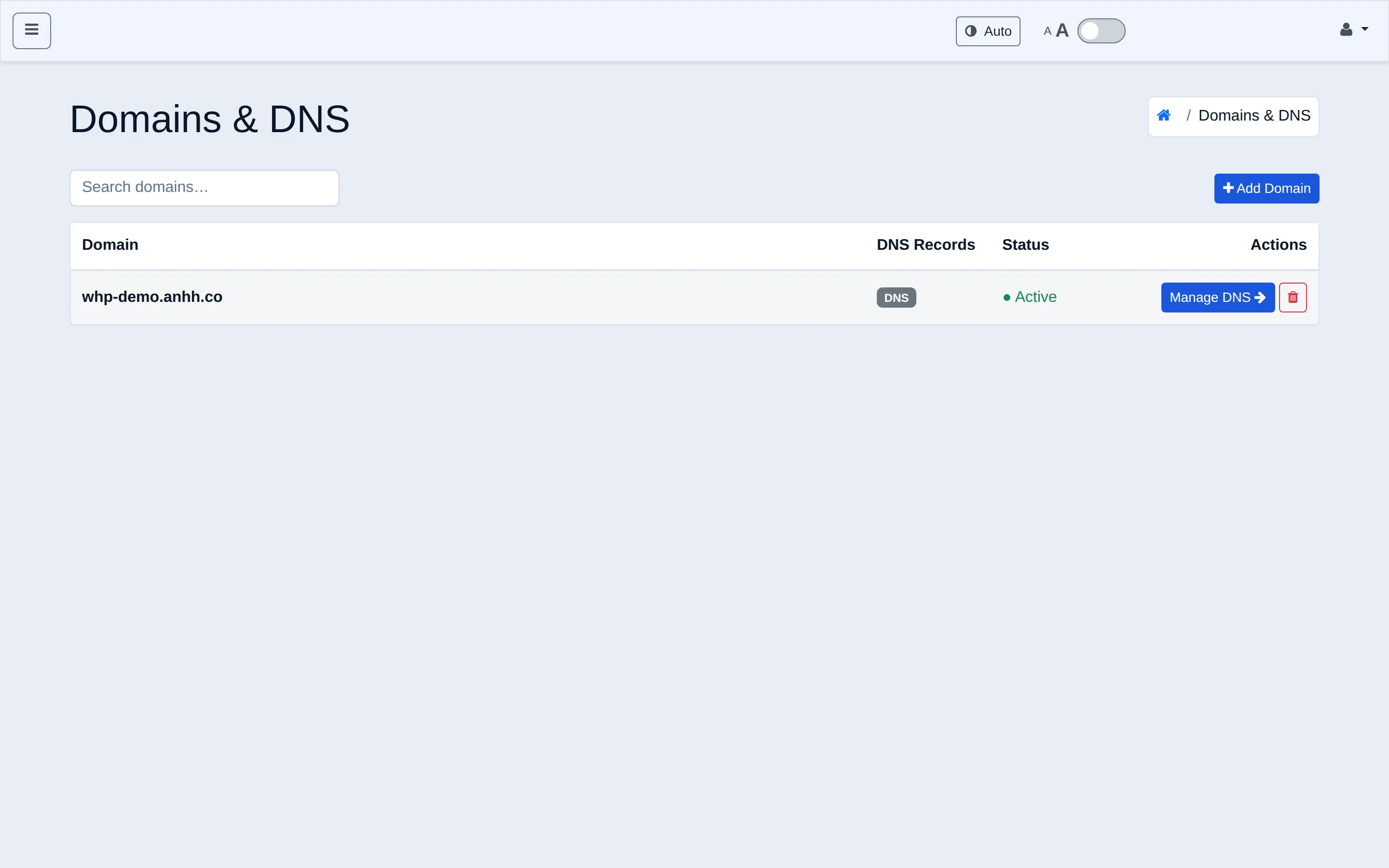
-
Click Add Domain in the top right. In the dialog, type your domain (for example,
example.com) — just the bare domain, with nohttp://orwww.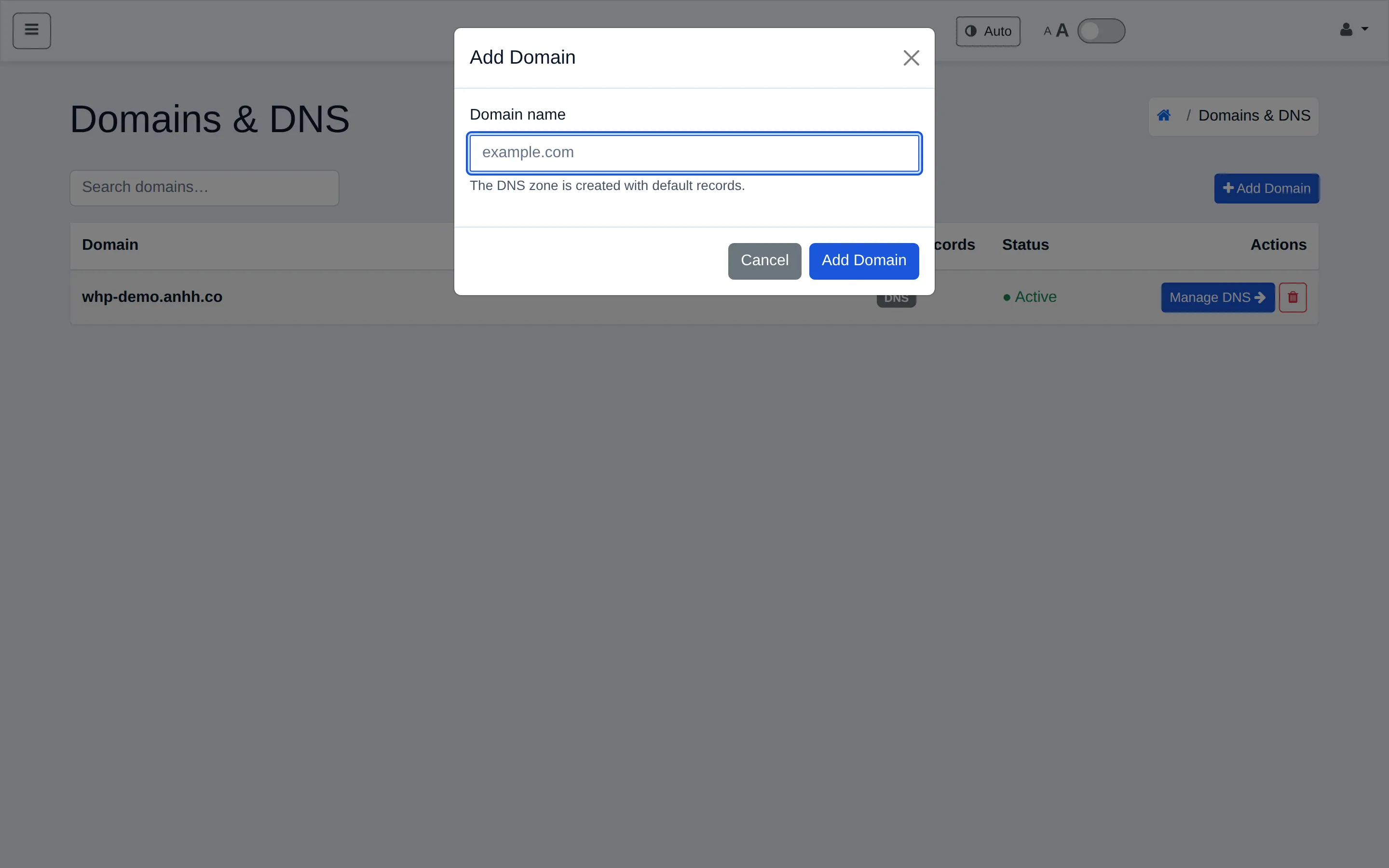
-
Click Add Domain to confirm. The domain appears in the list with a green Active status.
WHP creates a DNS zone with the standard set of records automatically for the new domain:
- A record for the apex domain → your server’s IP
- CNAME for
www→ the apex - NS records for the nameservers
- MX record → the mail server
- TXT records for SPF and DKIM
You can review and tweak any of these — click Manage DNS next to the domain to open the records editor. See Manage DNS records for the full walkthrough.
Point your DNS at us
Section titled “Point your DNS at us”There are two paths depending on where the domain is registered:
Registered with us. Nothing to do — we set DNS automatically when the domain was added. Skip ahead to verify.
Registered elsewhere. At your registrar, do one of the following:
- Set the nameservers to the values shown in Manage DNS (the NS records) — recommended, as it gives us full DNS control and is easier to support — or
- Keep your existing nameservers and add an A record pointing the domain to the IP shown on the Dashboard page under Server Information.
Verify it worked
Section titled “Verify it worked”DNS changes can take up to 24 hours to propagate worldwide. To check:
- Run
dig example.com +shortfrom a terminal — once you see our server’s IP in the result, you’re live. - Or use a web tool like whatsmydns.net to see propagation across many regions.
Once DNS resolves, visiting your domain in a browser will reach WHP — though you’ll see a default placeholder until you create a site.
Troubleshooting
Section titled “Troubleshooting”“Pending DNS” for more than 24 hours. Re-check the nameservers or A record at your registrar — typos and trailing dots cause silent failures. Clear your local DNS cache to rule out client-side caching.
Domain returns a generic placeholder. DNS works but you haven’t created a site yet. Create one and bind this domain to it.
Wrong site loads. Another site on your account is bound to this domain. Open Sites in the sidebar and make sure the correct site is bound to it.
Related
Section titled “Related”Still stuck?
Section titled “Still stuck?”Still stuck? Open a support ticket and our team will help.